TradingView alerts
Test a TradingView webhook and see what it really sends
When a TradingView webhook does not do what you expected, the first question is whether TradingView sent anything, and what. Point the alert at a URL that shows you every request, and you can see the answer instead of guessing.
See what your alert sends
- Get a webhook URL with the box below.
- Paste it into your alert. In TradingView's alert window, open Notifications, tick Webhook URL and paste it. Leave your message as it is.
- Fire the alert. To avoid waiting for the market, use a price alert whose condition is already true, set to trigger only once.
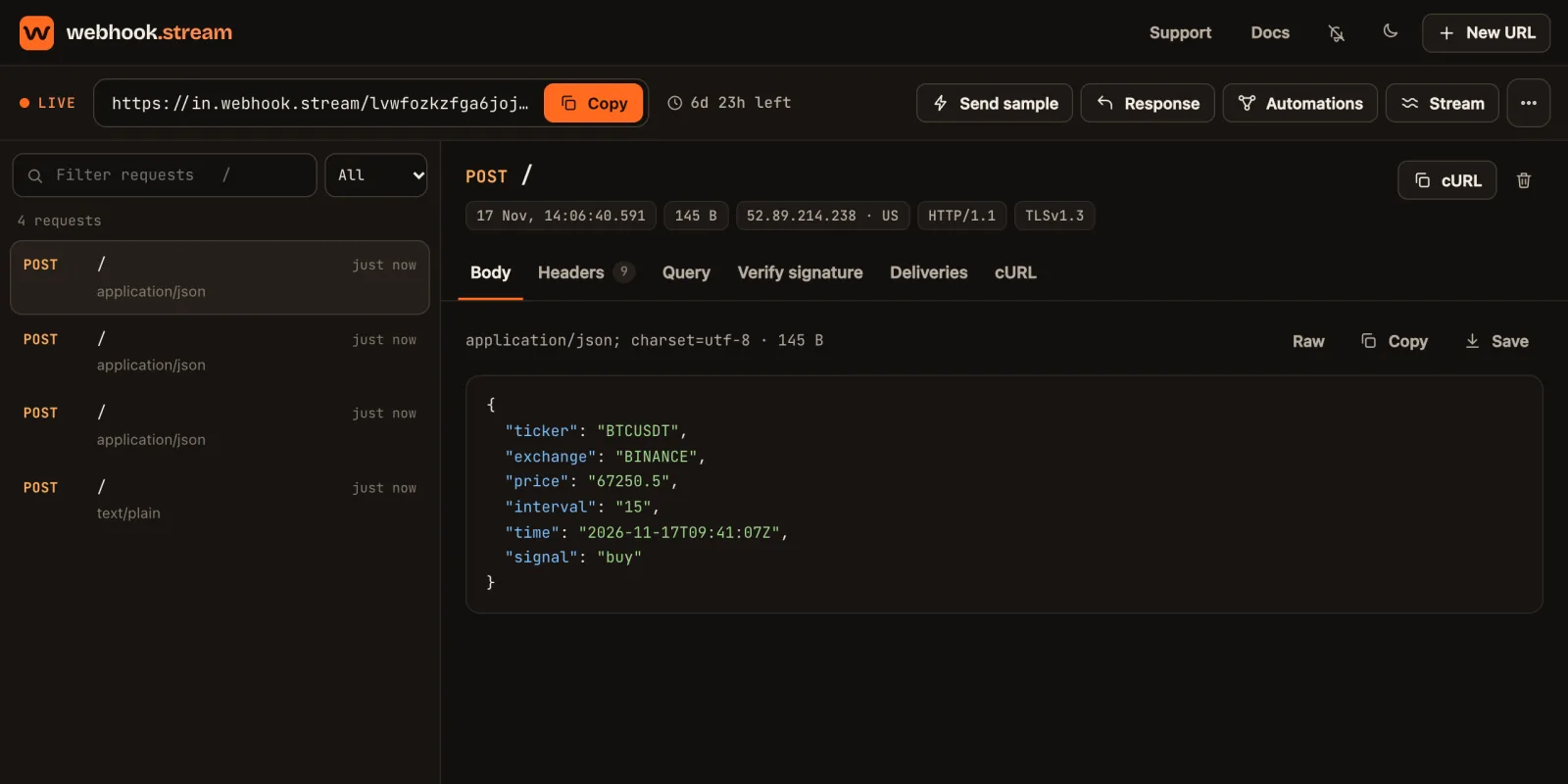
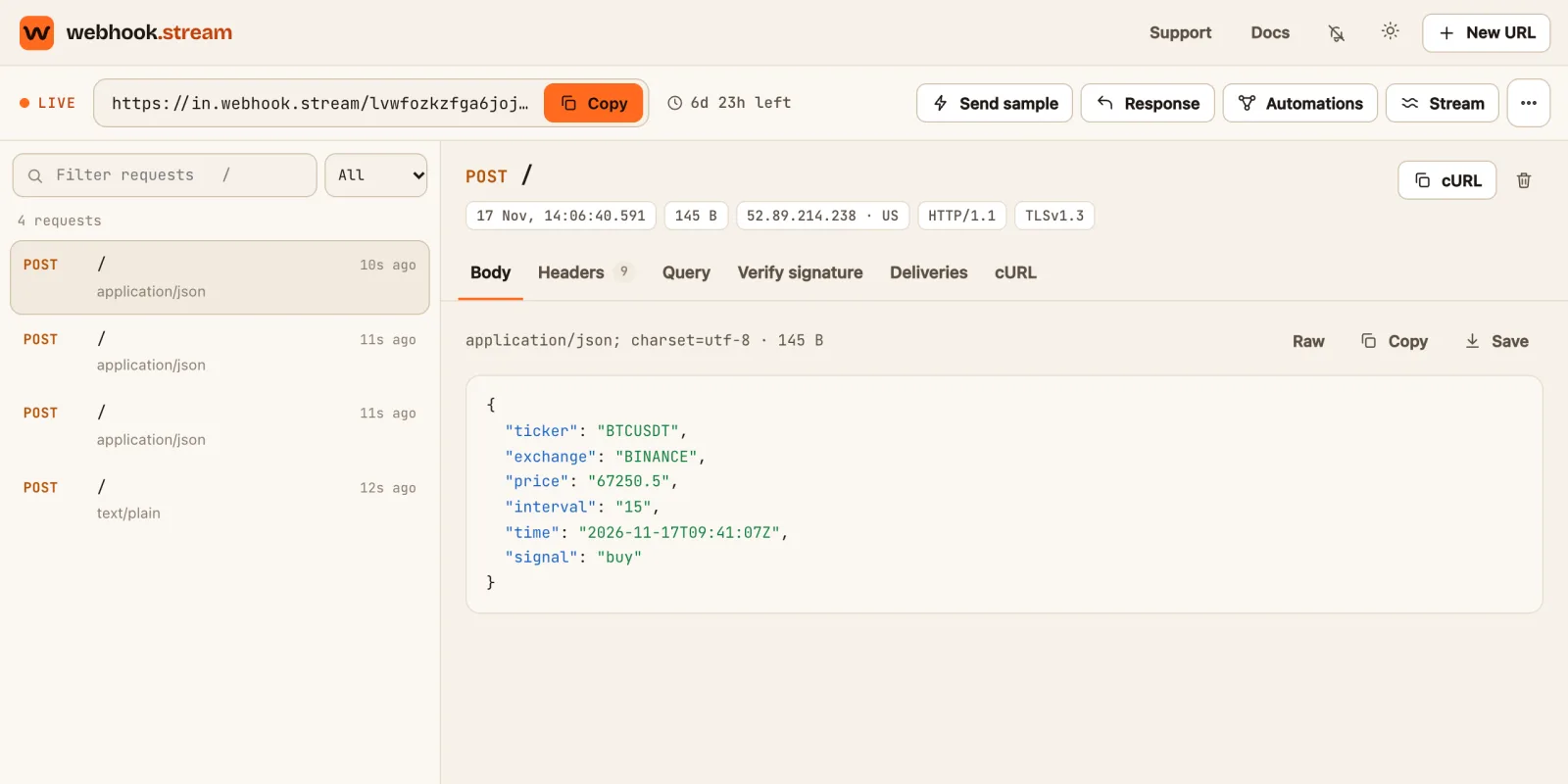
- Open the inspector. The alert appears the moment it arrives, with its message, its format and the address it came from.
Free. No signup. You stay on this page.
The inspector opens in a new tab. A free URL works for 7 days.
Nothing arrived
| Check | Why |
|---|---|
| Is Webhook URL ticked in the alert's Notifications? | Pasting the URL is not enough. The box has to be ticked, and the alert saved again |
| Is two-factor authentication on for your TradingView account? | TradingView only sends webhooks when it is |
| Does your plan include webhooks? | They are a paid feature. On a plan without them the option is not available |
| Did the alert actually fire? | TradingView's alert log lists every time it triggered, and has a webhook status column that says whether the webhook was sent |
| Is the URL complete? | A URL cut short when copying goes nowhere. Paste it again from the box above |
| Has the alert expired or stopped? | Alerts have an expiry date, and one set to trigger only once stops after it has fired |
It arrived, but as text instead of values
TradingView decides the format by looking at your message. If the message is valid JSON it is sent as JSON, and the inspector shows a tidy list of names and values. If anything about it is not valid, TradingView sends it as plain text, and whatever reads it next cannot pick values out.
| In the message | Fix |
|---|---|
A value without quotation marks, such as "price": {{close}} | It works until a value comes back empty. Put every value in quotation marks: "price": "{{close}}" |
| A comma after the last line | Remove it. Every line ends with a comma except the last |
Curly quotation marks, “ ”, from a document or chat app | Retype them as straight ones, " " |
| Text before or after the braces | The message must start with { and end with } |
Messages that are known to work are in alert message templates.
A placeholder arrived unfilled
If the inspector shows {{strategy.order.action}} itself where you expected buy, TradingView did not recognise the placeholder in that alert.
- Strategy placeholders only work in strategy alerts. In an alert on a price or an indicator they are sent as written.
- Spelling counts.
{{Ticker}}and{{ ticker }}are not{{ticker}}. - Indicator values use
{{plot_0}},{{plot_1}}and so on, numbered in the order the indicator draws them.
It works here, but not in my bot or app
If the alert shows up correctly in the inspector, TradingView is doing its part and the problem is at the receiving end. The things TradingView requires of a receiver are:
- An answer within three seconds. A slower receiver has its request cancelled.
- A standard port. TradingView only sends to ports 80 and 443, so an address ending in something like
:8080is refused. - An address reachable over IPv4. TradingView does not send webhooks over IPv6.
- A public address. A program running on your own computer cannot be reached from TradingView.
A way round a slow or fussy receiver is to keep the webhook.stream URL in the alert and have it pass the alert on. TradingView always gets its answer immediately, and you get a record of what your bot answered.
Once it is arriving
Questions
Webhook alerts are a paid TradingView feature, and TradingView only enables them when two-factor authentication is switched on for your account. Check both.
TradingView's documentation says a request is cancelled if the receiving server takes more than three seconds, and that delivery can occasionally fail. It does not promise retries, so assume a failed webhook is not sent again.
TradingView documents four: 52.89.214.238, 34.212.75.30, 54.218.53.128 and 52.32.178.7. The inspector shows the address each request came from, so you can tell a real alert from a test of your own.
Yes. Make a price alert whose condition is already true, such as the price being greater than a value well below the current price, set to trigger only once. It fires almost immediately.
webhook.stream is an independent service. It is not affiliated with or endorsed by TradingView, Telegram or Discord. Nothing on this page is financial advice.